
Instagram photo picker
Which photo to post on Instagram, and how to order a carousel
Post the photo that reads in a second at feed size: one clear subject, eyes open and sharp, good light, nothing distracting at the edges.
For a carousel, lead with that photo, make every slide after it add something new, and end on a strong frame instead of a leftover. Here is how to get there from a camera roll of near-identical shots.



Scan with your phone camera
Picker AI for iPhone and Android. Updated .
Top Choices
Instagram“Rooftop pics from my birthday. Which one for my main post?”
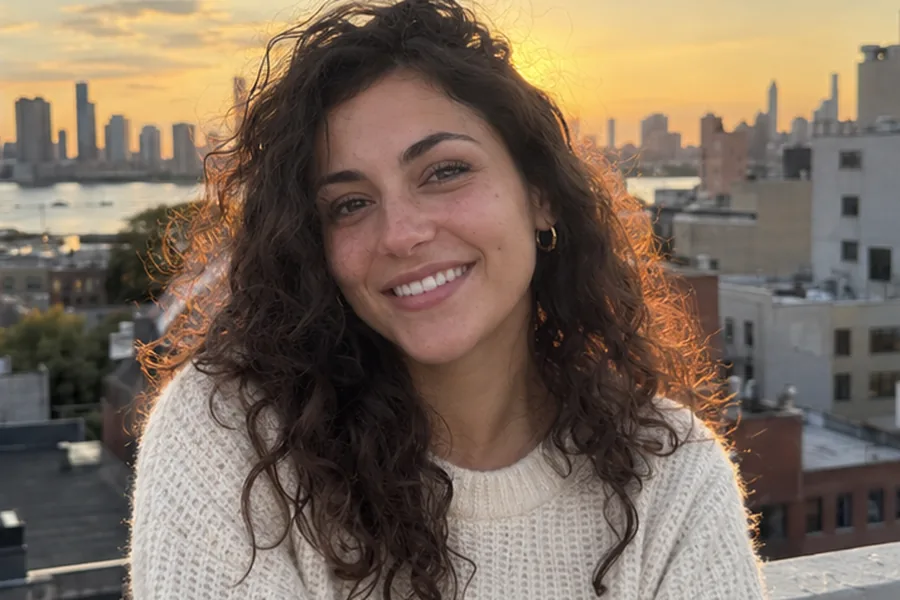 #196.4
 #283.2
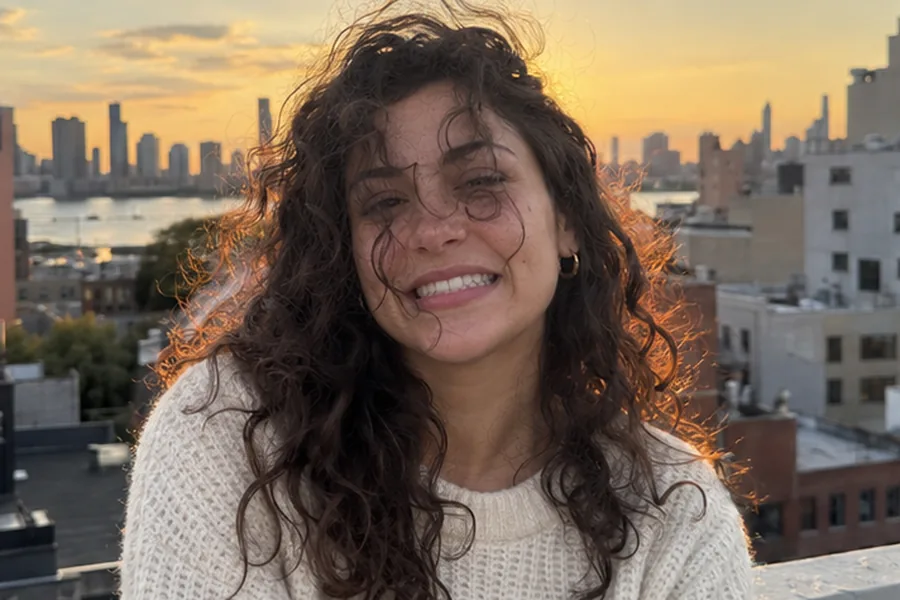 #379.5
Picker AI Insights
The rooftop shot with her hair framing her face (96.4) is the strongest pick for Instagram. Her eyes are open and catch the light, the smile looks unforced, and the skyline stays soft behind her. The first frame (83.2) has the same glow, but her eyes are half closed.
Pick the one photo
Look at your options at the size people will see them: a phone screen, scrolling past. Then check each one for these, in order.
- One clear subject. You should know what the photo is of within a second.
- Eyes open and in focus. If the eyes are soft, the photo reads as soft.
- Light on the face. Not behind it, not harsh overhead sun.
- An expression that looks like you. Unforced beats perfect.
- Clean edges. No stranger mid-blink behind you, no cut-off limbs, no bright object pulling the eye to a corner.
Most of the time two or three photos pass all five. Between those, go with the better expression.
Near-identical shots
Bursts are where choosing gets hard: ten frames, all nearly the same. Looking at all ten at once makes it harder, so cut the comparison down.
- Compare two at a time. Keep the winner, bring in the next one, repeat.
- Zoom in on the eyes first, then the mouth, then hands and hair. These decide most bursts.
- Check the background last. A passer-by or a tilted horizon can sink an otherwise perfect frame.
- Keep one frame per moment. Archive the rest once you have posted, so the next search is shorter.
Choose the cover
The first slide of a carousel does two jobs. It is what people see in the feed before they decide to swipe, and it is the photo on your profile grid. So the cover should be your strongest single image, not the one that starts the story.
- One subject, easy to read small.
- Your subject near the center, so a cropped grid thumbnail still works.
- Bright enough to hold up next to everything else in the feed.
Order the rest of the carousel
- Cover: the strongest photo.
- Then vary the distance: a wide shot that sets the scene, a close detail, the people, a candid.
- Keep similar frames apart, or better, keep only one of them.
- Group by moment if it is a trip or an event, so the swipe tells it in order.
- End strong. The last slide is what people leave on. Save a good one for it.
Use only as many slides as are worth a swipe. A carousel doesn't have to be full.
For a photo dump
A dump can be looser, but the same rules hold: a strong first photo, a mix of close and wide, and no two frames that look the same. Spread out photos with the same colors so the swipe doesn't feel repetitive.
How Picker helps
Picker handles the first step: getting from a big batch to a short list. Choose Instagram as the purpose, add up to 200 photos, and Picker scores every one of them for an Instagram post, then ranks them.
- Top Choices: your best three, each with a score out of 100 (one decimal, like 96.4).
- Insights: a short note on why they won, such as eyes catching the light or a background that stays soft.
- All rankings: every photo you added, in order, so the next five are your carousel shortlist.
- Your own question: type something specific, like “Which one works as the cover?”
Picker ranks; it doesn't crop, caption or arrange the carousel, and it doesn't merge near-duplicates. Use the order rules above for the rest. If you want the app to build the whole carousel for you, curator does that on iPhone, and Topit groups similar shots. See the full comparison.
Questions
How do I choose which photo to post on Instagram?
Shrink each option to the size it will appear in the feed and pick the one that reads in a second: one clear subject, eyes open and sharp, light on the face, and nothing distracting at the edges. If two are close, pick the one with the better expression.
What should the first photo of a carousel be?
Your strongest single image, with one clear subject. It is the only slide most people see before they decide to swipe, and it is the photo that shows on your profile grid.
How do I order the photos in a carousel?
Start with the strongest photo, then make each slide add something new: a wide shot, a detail, the people, a candid. Keep near-identical frames apart or cut them, and end on a strong photo rather than a leftover.
How do I choose between near-identical photos?
Compare two at a time and keep the winner. Zoom in on the eyes first, then the mouth, hands and hair, then check the background for anything odd. Keep one frame per moment.
Is there an app that picks the best photos for Instagram?
Yes. Picker AI ranks up to 200 photos for Instagram on iPhone and Android and explains its top picks. If you want the app to build a finished carousel with crops and a caption draft, curator does that on iPhone.
Does Picker post to Instagram for me?
No. Picker ranks your photos and tells you which ones to use. You post from Instagram as usual.