
Dating profile photos
How to choose and order your dating profile photos
Lead with a clear, recent photo of just you, in good light, where your eyes are visible and you look relaxed. Then add four or five more that each show something different: a full-length shot, a hobby, a photo with friends, a candid.
Cut near-duplicates, sunglasses, heavy filters and group shots where people have to guess which one is you. The advice below comes from Hinge, Tinder and Bumble's own help pages and published data.



Scan with your phone camera
Picker AI for iPhone and Android. Updated .
Top Choices
Dating Apps“Which one should go first on my Hinge?”
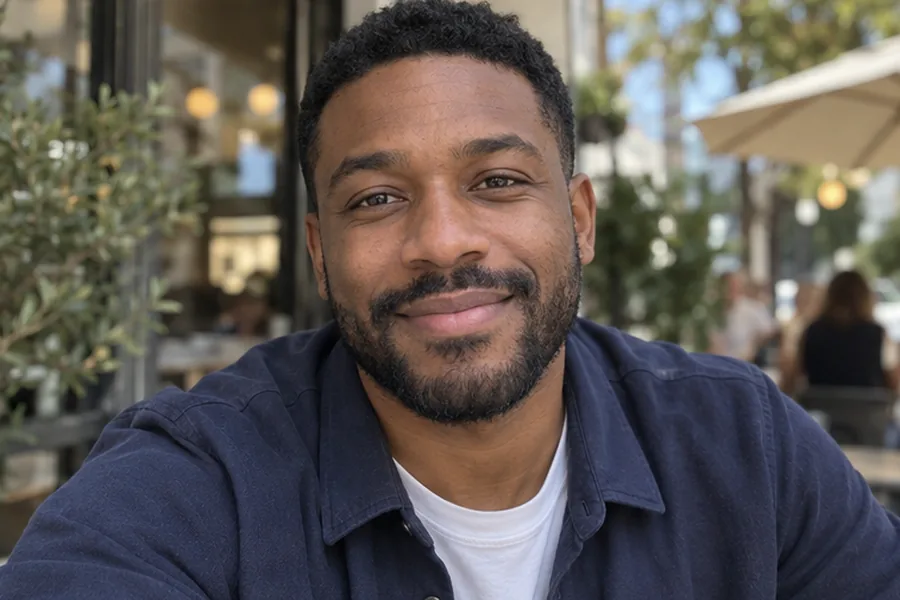 #195.1
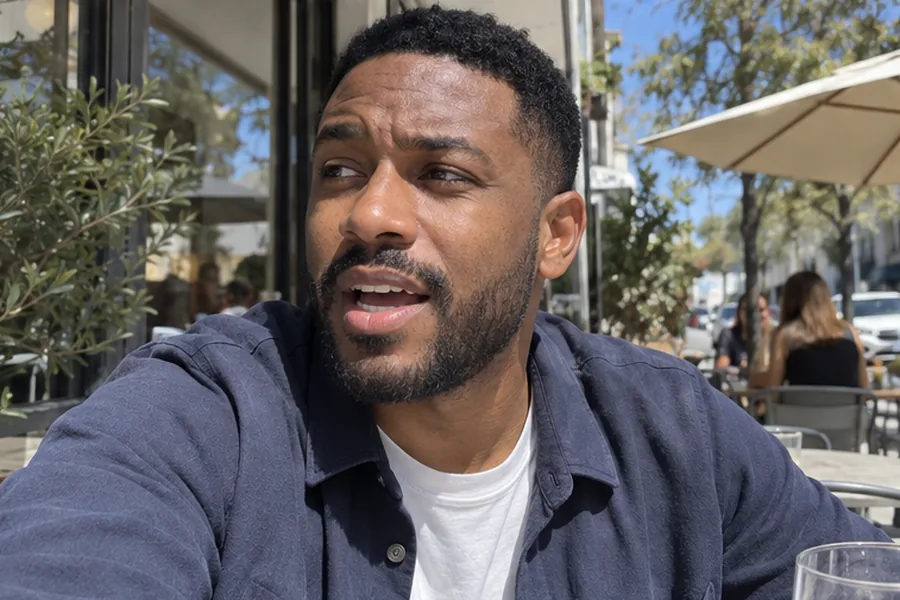 #272.4
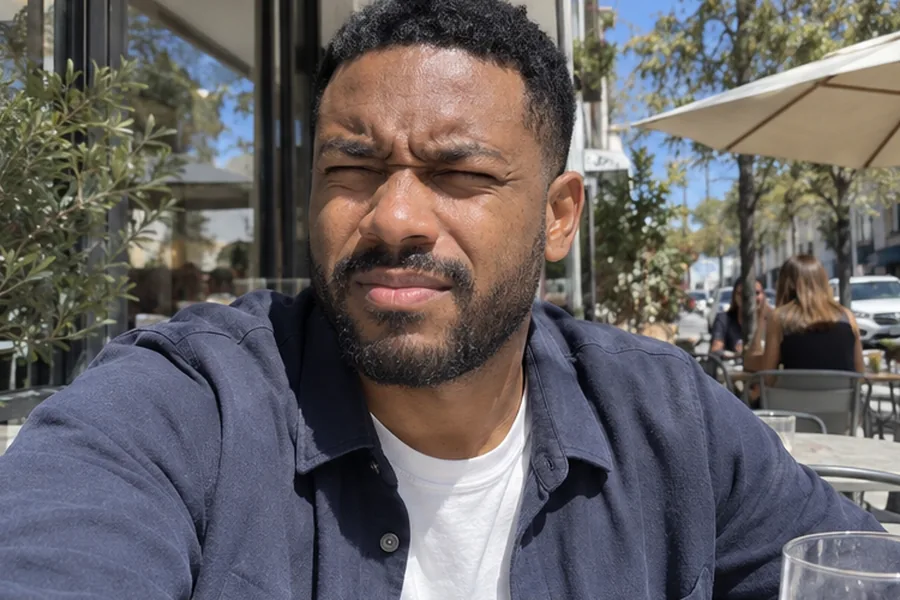 #364.9
Picker AI Insights
Lead with the shot in open shade (95.1). He's looking straight at the camera with a relaxed smile, and the soft light keeps his face clear. The mid-sentence frame (72.4) has nice light, but his eyes are off to the side.
The short version
- Use six photos if you have six good ones. Don't pad the set with weak photos to reach six.
- Your first photo: just you, face and eyes clearly visible, good light, natural expression.
- Every other photo should add something new: full length, an interest, friends, a pet, a place.
- Recent photos go near the top. They should look like you do now.
- One near-identical photo per moment. If two look the same, keep the better one.
- Don't trust only your own favorite. Get an outside opinion.
How many photos each app wants
| App | Photos | What the app says |
|---|---|---|
| Hinge | 4 to 6, required | Members need four to six photos, depending on local rules, plus three prompt answers. |
| Bumble | Up to 6 | Four to six work best. Profiles with six photos are nearly twice as likely to get likes as profiles with three. |
| Tinder | 4 or more | Most single women prefer men's profiles with at least four photos, and men with more than one face photo are 71% more likely to match with women (Tinder data, 2024). |
Your first photo does most of the work
It is the photo people see before they decide to look further. Bumble says the photos at the top of your profile are seen more often, so they should be recent and the ones you feel best about.
- Just you. No guessing which person is you.
- Face and eyes visible. No sunglasses, no hat brim shading your eyes. Bumble suggests removing sunglasses because your eyes help people connect with you.
- Good light. Daylight or open shade, light on your face, not behind you.
- A natural expression. Hinge says smiles tend to get more Likes.
- Not a selfie. Bumble says selfies as the main photo often get less attention, and that a shirtless first photo can be polarizing.
What Hinge says gets more Likes, and fewer
Hinge's help center lists these patterns from its own research.
Tends to get more Likes
- Photos that show your interests
- Candid photos
- Black and white photos
- Sports photos
- Smiles
- Photos with friends or pets
Tends to get fewer Likes
- Selfies, especially bathroom or mirror selfies
- Posed photos
- Photos with filters
- Beach photos
- Sunglasses
- Photos with a potential significant other
A six-photo lineup that works
- The lead. Your clearest, most recent solo photo, face and eyes visible.
- Full length. Shows your whole outfit and build. Bumble's photo feedback suggests adding one.
- Doing something you enjoy. A sport, an instrument, cooking, a hike. Both Hinge and Bumble say these help.
- With friends. One social photo where you are easy to spot.
- A candid. Laughing mid-conversation, a travel moment, an everyday setting.
- A second strong portrait. A different outfit, place or light than the lead, or a photo with your pet.
Put the strongest first and keep variety down the list. Tinder's Photo Tips and Bumble's photo feedback both flag profiles where several photos look alike.
What to cut
- Near-duplicates. Two photos from the same moment use up a slot without telling anyone anything new.
- Sunglasses, or anything else that hides your eyes.
- Heavy filters and heavy editing. Bumble asks for clear photos without heavy filters.
- Blurry or low-resolution photos.
- Mirror selfies and bathroom selfies.
- Old photos that no longer look like you.
- Photos with an ex, even cropped.
Why your favorite photo might be the wrong one
You remember the night behind each photo. Strangers only see the frame. In two studies with 610 people, photos that strangers chose of someone made a better impression than the photos people chose of themselves (White, Sutherland and Burton, 2017). The same research found people lean toward more attractive-looking photos for dating and more competent-looking ones for professional profiles.
So get an outside view before you commit: a friend who will be honest, a human-rating site like Photofeeler (see how it compares), or an AI ranking of the whole batch.
Then let the app test your order
Once your photos are uploaded, Hinge's Top Photo uses a machine learning model to predict which one is most likely to get a Like and keeps the most popular one first. Bumble's Best Photo also puts your most popular photo first. Turn them on after you have chosen strong candidates; they only reorder what you upload.
How Picker sorts a camera roll of options
The hard part is usually the first step: forty photos from one weekend, half of them nearly the same. That is what Picker is for.
- Choose Dating Apps (Tinder, Hinge, Bumble) as the purpose.
- Add your options, up to 200 at a time.
- Picker scores every photo out of 100 for a dating profile, looking at things like expression, eye contact, light, focus and framing, and ranks them.
- See your top three with their scores and a short note on why they won. Use the winner as your lead.
- Open the full ranking and fill the other slots from near the top, choosing a different kind of photo for each slot.
Picker ranks photos one by one for the purpose you choose. It doesn't check your lineup for variety, so use the six-photo list above when you fill the rest.
Questions
How many photos should I use on a dating app?
Use six if you have six good ones. Hinge requires four to six photos depending on where you live, Bumble allows up to six and says four to six work best, and Bumble's data shows profiles with six photos are nearly twice as likely to get likes as profiles with three.
What should my first dating profile photo be?
A recent photo of just you, in good light, where your face and eyes are easy to see and you look relaxed or are smiling. Avoid sunglasses, heavy filters, group shots and mirror selfies in the first slot.
Should I use selfies on Hinge, Tinder or Bumble?
One is fine, but don't lead with one. Hinge says selfies, especially bathroom and mirror selfies, tend to get fewer Likes, and Bumble says selfies as the main photo often get less attention.
Are group photos OK on a dating profile?
One is fine and shows your social life, but keep it out of the first slot and make sure it's easy to tell which person is you. Tinder's dating expert puts it this way: one group photo is fine, but keep the rest solo.
Do black and white photos work on Hinge?
Hinge lists black and white photos among the kinds that tend to get more Likes, along with candid photos, smiles, sports and photos that show your interests.
Can AI choose my dating profile photos?
It can sort a big batch and point you to the strongest candidates. Picker ranks up to 200 photos for dating apps and explains its top picks. You still choose the final lineup and order, and the dating apps' own tools, such as Hinge's Top Photo, can then test which photo works best first.
Sources
- Hinge Help Center, "How do I edit my profile?" (updated Jul 28, 2026)
- Hinge Help Center, "Why Aren't I Getting Any Matches?" (updated Jul 27, 2026)
- Hinge Help Center, "What is Top Photo?" (updated Jun 29, 2026)
- Bumble Support, "Uploading profile photos and videos" (checked Nov 21, 2026)
- Bumble Support, "Here's what Bumble data says about adding photos" (checked Nov 21, 2026)
- Bumble Support, "Receiving feedback on your photos" (checked Nov 21, 2026)
- Tinder press release, "Photo Selector" (Jul 17, 2024)
- Tinder Help Center, "Photo Tips" (checked Nov 21, 2026)
- White, Sutherland and Burton (2017), "Choosing face: the curse of self in profile image selection"